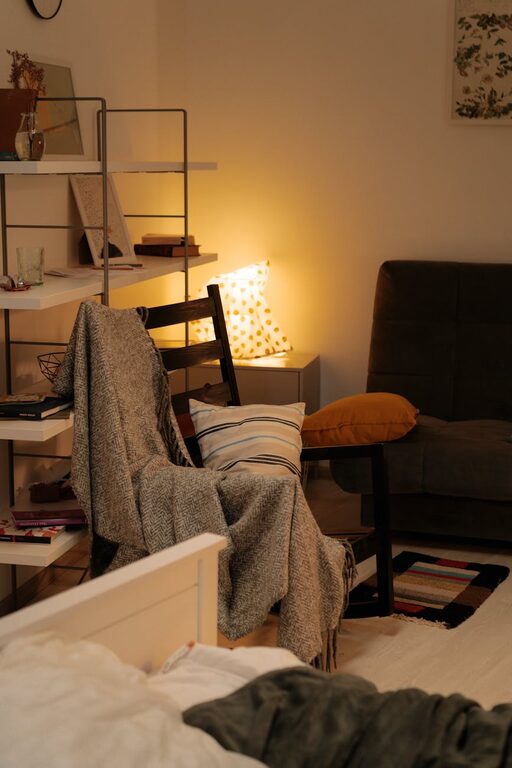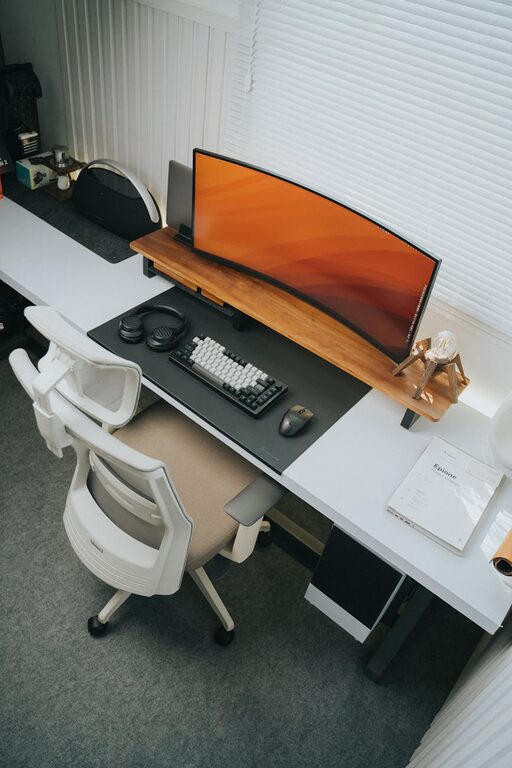

Creating a productive home workspace environment is essential for anyone working remotely or managing tasks from home. A well-designed workspace can enhance focus, reduce distractions, and improve your overall work performance. Whether you have a dedicated room or a small corner, the right setup can make all the difference. Here are some helpful tips to create a home workspace that supports productivity and well-being.
Choose the Right Location
Finding a suitable spot for your workspace is the first step. Ideally, select a quiet area away from high-traffic zones and distractions. If possible, choose a space with natural light, as it can boost mood and alertness. Avoid working from the sofa or bed, which might negatively impact your posture and mindset.
Invest in Comfortable and Ergonomic Furniture
Comfort and ergonomics play a crucial role in maintaining productivity, especially if you spend hours working. A supportive office chair with adjustable height and lumbar support can prevent back pain. Your desk should be at a comfortable height to keep your wrists straight when typing. Consider a sit-stand desk if you prefer to alternate between sitting and standing during the day.
Ensure Good Lighting
Lighting affects both your comfort and concentration. Natural daylight is best, so position your desk near a window if possible. Complement this with adjustable task lighting to reduce eye strain during darker hours. Avoid harsh overhead lights and glare on screens by using blinds or curtains to control sunlight.
Keep Your Workspace Organised
An organised workspace helps reduce stress and keeps you focused. Use storage solutions like drawers, shelves, and organisers to keep essential items within reach but out of the way. Regularly declutter your desk and digital files to maintain a tidy environment.
Minimise Distractions
Home environments can be full of distractions. Set boundaries with family or housemates during work hours. Use noise-cancelling headphones or play soft background music if external noise is an issue. Turn off unnecessary notifications on devices and use apps or browser extensions that block distracting websites during work periods.
Personalise Your Space
Adding personal touches to your workspace can make it more inviting and comfortable. Consider incorporating plants, artwork, or photos that inspire you. However, avoid overdoing it, as too many items can create visual clutter.
Use Technology Wisely
Equip your workspace with the necessary technology for smooth work. Ensure your computer, internet connection, and peripherals (like a mouse, keyboard, and webcam) are reliable and efficient. Keep cables organised and out of the way to maintain a clean look.
Establish a Routine
Setting a daily work routine helps condition your mind to focus during work hours. Start your day at a set time, take regular breaks, and create rituals like making a cup of tea before starting. Clear start and finish times can also help maintain work-life balance.
Prioritise Air Quality and Comfort
Good air quality and temperature greatly affect concentration and comfort. If possible, open windows regularly to let fresh air in. Adjust room temperature to a comfortable level and consider adding a small fan or heater if needed.
Take Breaks and Move Around
Sitting for long periods can decrease productivity and harm your health. Take short breaks to stretch, walk around, or do simple exercises. These moments allow your brain to recharge and help prevent fatigue.
—
Creating a productive home workspace is a blend of organisation, comfort, and mindful habits. By applying these tips, you can foster an environment that supports focus and efficiency, making working from home a more enjoyable and rewarding experience. Remember, your workspace should work for you, so tailor it to fit your personal needs and preferences.
About the Author